
Creative software / Desktop extension
Edit the soundtrack
inside Premiere Pro.
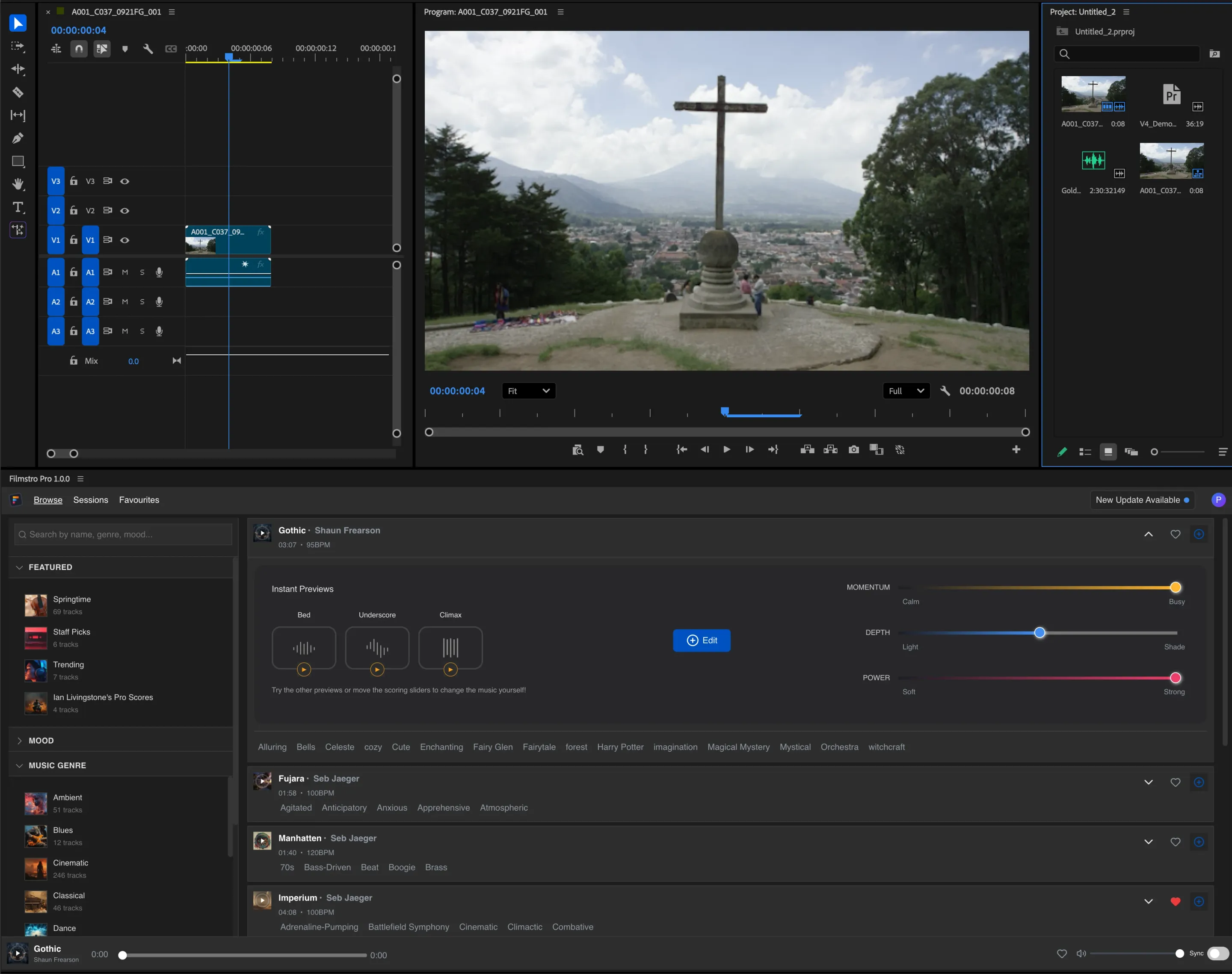
We built Filmstro’s Premiere Pro extension so editors can browse music, adjust it to their footage and send the finished audio straight to the timeline.
- Client
- Filmstro
- Timeline
- 2026Ongoing
- Services
- Extension development · Product management · Algorithm design · Premiere Pro deployment
- Tech stack
- Vue 3
- TypeScript
- Tailwind CSS
- Tone.js
- Pinia
- Vite
- Adobe CEP
- ExtendScript
- WebMIDI
- Fuse.js
- PostHog
The brief
“Could editors finish the soundtrack inside Premiere Pro?”
The question behind the build.Bring music editing into Premiere Pro.
A track’s length and energy need to fit the footage. Editors also need control over where the mood changes as a scene unfolds.
Editors were moving between music libraries, audio tools and their timeline to make that happen. Filmstro needed a complete music editing environment inside Premiere Pro.
The goal
Browse, edit and export in the same panel.
Editors needed to search the library and shape a track without switching applications. The final audio also needed to go directly into their Premiere Pro project.
- Search the library
- Browse by mood, genre or collection, with instant search and previews inside the panel.
- Fit the music to the footage
- Match the duration and character of a track to the scenes on the timeline.
- Export to Premiere Pro
- Render the finished music and import it directly into the Premiere Pro project.
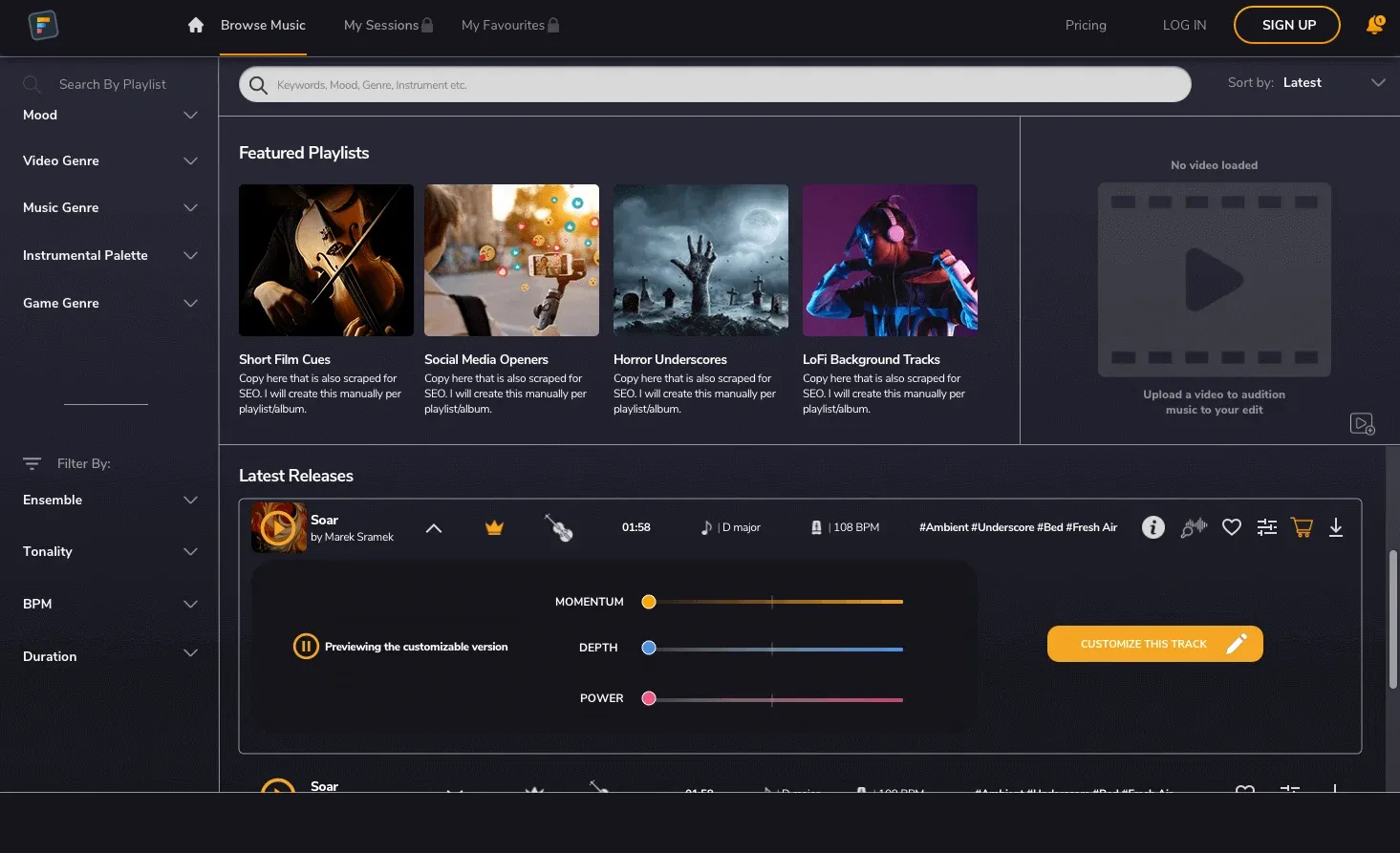
The related browser music library.
The related Filmstro web application. The Premiere Pro extension brings the music workflow into the editor’s timeline.
Our approach
Connect the audio engine to Premiere Pro.
We built a custom audio engine inside the extension and connected it to Premiere Pro. The panel handles track previews and editing, then passes the rendered audio back to the video timeline.
Record and refine changes to the music
Momentum, Depth and Power controls reshape tracks in real time. Editors can record slider movements, draw automation curves and mix stems independently.
Adjust duration using musical loop points
An adaptive algorithm extends or shortens compositions using musical loop points. Premiere Pro integration reads the playhead, In/Out markers and frame rate.
Render and import the finished audio
Offline rendering produces the finished audio. ExtendScript imports it directly into the Premiere Pro timeline.
Restore sessions and add hands-on controls
Saved sessions restore project state. MIDI support and keyboard shortcuts offer hands-on control, while local-first storage supports offline use after the first load.
The outcome
A signed extension for macOS and Windows.
Editors can find and customise music without leaving Premiere Pro. Once they have adjusted the track to the footage, they can render it and import the finished audio directly into the timeline.
We delivered a signed extension for Premiere Pro 2024+. It supports macOS on Intel and Apple Silicon, as well as Windows.
- 3
- Expressive music controls
- Momentum, Depth and Power
- 20+
- Keyboard shortcuts
- Built around professional editing conventions
- 2
- Desktop platforms
- macOS and Windows
Building a tool for creative professionals?
Tell us which application your users work in and what they need the tool to do. We can help build an extension that works there.
Let’s talk