
Music & creative tools
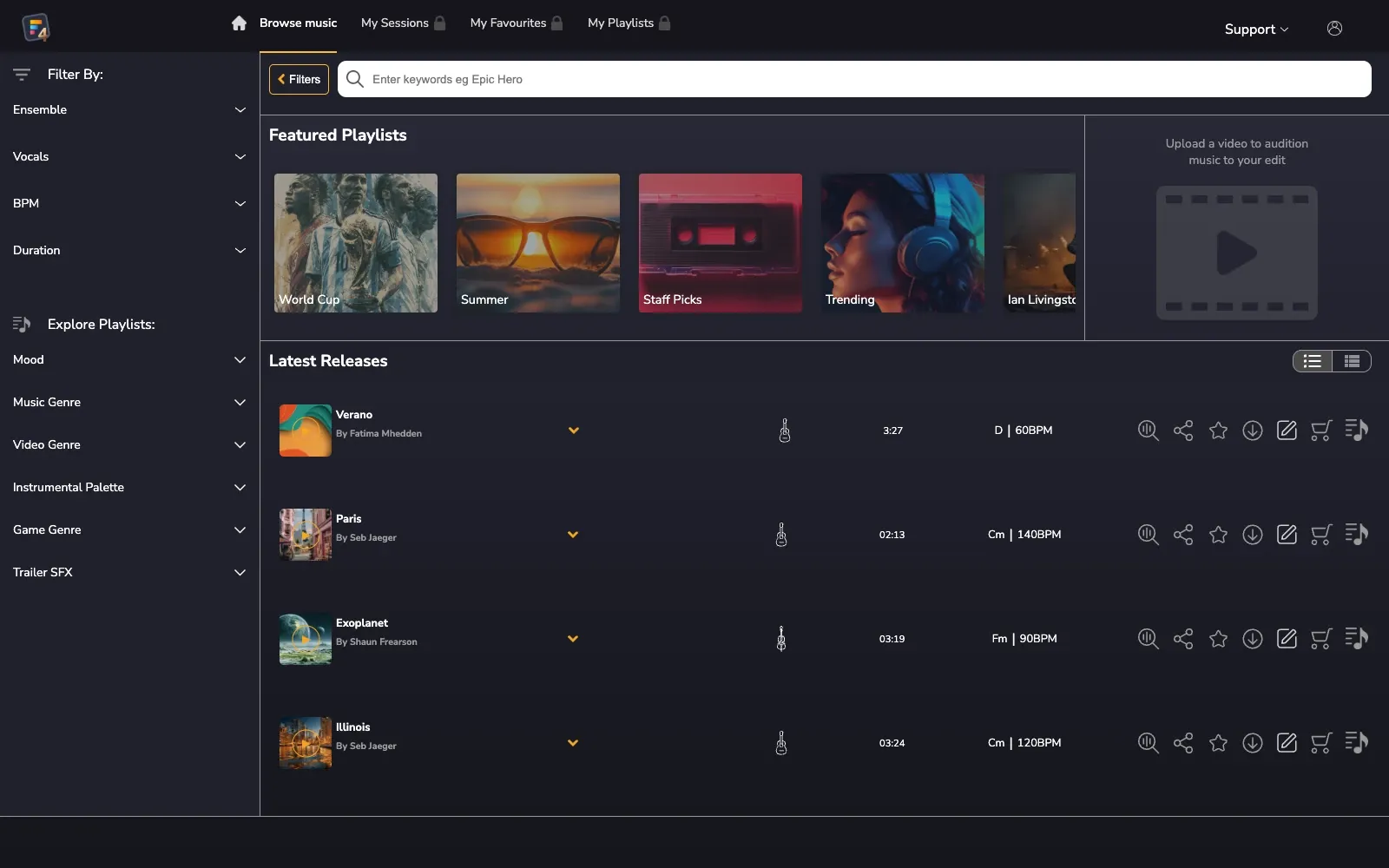
Find a track.
Shape it to your footage.
We built a browser-based editor where filmmakers can find music and adjust its energy as the story unfolds. They can fit a track to their footage, then export the finished soundtrack with its licence.
- Client
- Filmstro
- Timeline
- 2022Ongoing
- Services
- Frontend Development · Audio Engineering · Algorithm Design · UX/UI Design
- Tech stack
- Vue 3
- Tone.js
- Web Audio API
- SVG.js
- Vuex
- SASS
- Fuse.js
- LocalForage
- WebMIDI
The brief
“How do you fit a track to the story you are telling?”
The question behind the build.Music editing from the browser.
Filmstro needed a complete music-to-video editing platform in the browser. Filmmakers and content creators needed to find a track, adjust its character and match its dynamics to their footage.
The same application needed to handle duration changes, licensing and export. Creators should be able to finish their soundtrack where they started editing it.
The goal
Find music and control how it changes.
- Find a starting point
- Make a large music catalogue easy to explore with search, filters and previews.
- Shape the feeling
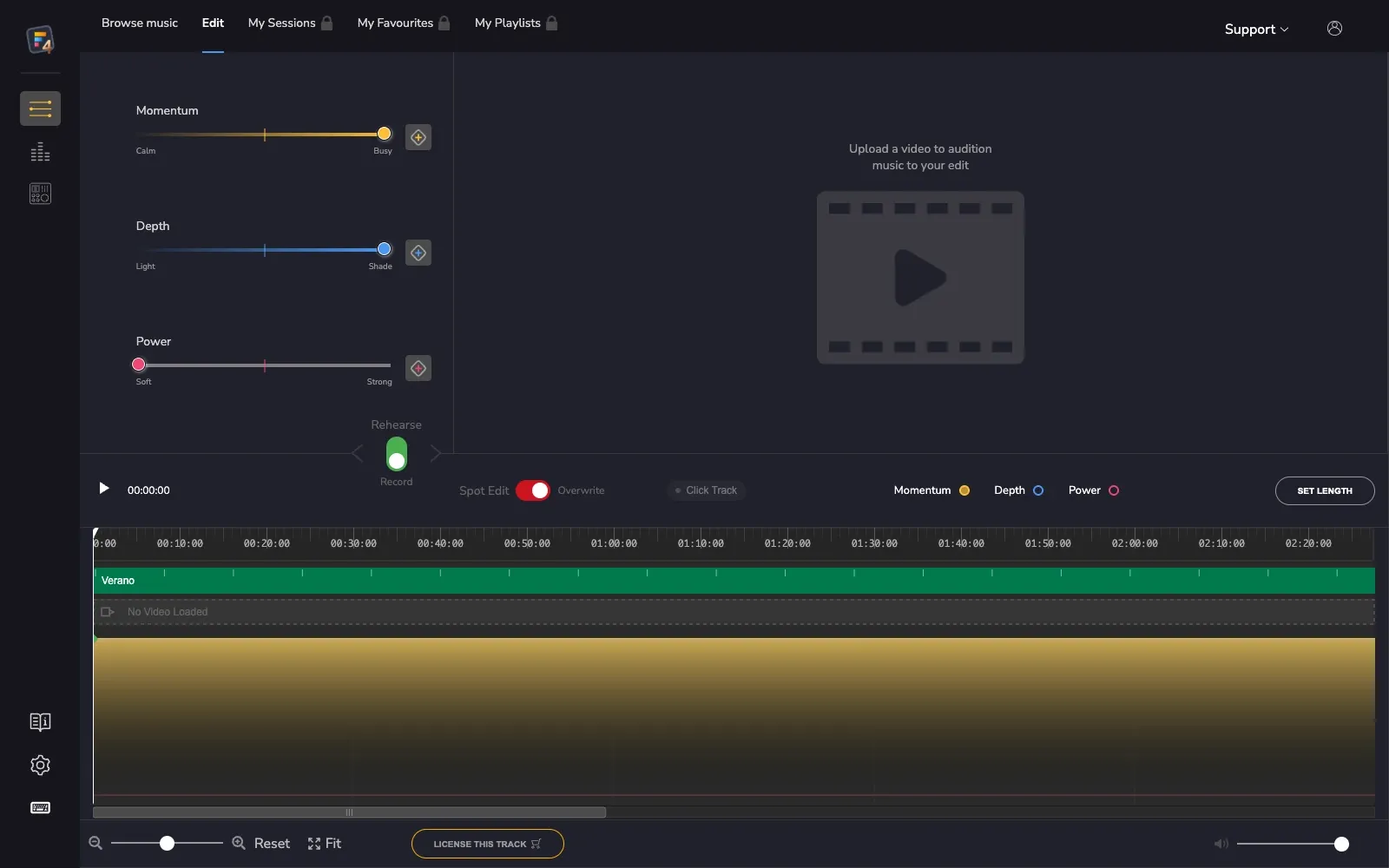
- Give creators responsive control over the music’s Momentum, Depth and Power.
- Bring sound and picture together
- Adapt music to the length of the footage, with detailed timeline controls for shaping how it unfolds.
Shape the music on the timeline.
Three expressive controls and a timeline for shaping how the music unfolds.
Our approach
Build the audio controls and duration algorithm.
We built the application around the steps a creator takes to finish a soundtrack. Search leads into the audio editor, where they can adjust the music before licensing and exporting it.
Adjust the sound in real time
Creators can shape the music’s energy and character in real time, adjust individual audio layers and refine changes on a detailed timeline.
Fit a track to the footage
A custom algorithm shortens or extends a track to the chosen duration while preserving its musical structure.
Save tracks and editing sessions
Favourites and custom playlists help creators shortlist tracks for different projects. Saved editing sessions let them return and keep refining their soundtrack.
License and export the soundtrack
Creators can use subscription access or license individual tracks. They can export the finished soundtrack with a personalised licence certificate.
The outcome
A finished soundtrack and its licence.
Filmstro’s creators can find and edit music in their browser, then license and export the result. The application covers the process from choosing a track to downloading a finished soundtrack.
Favourites and playlists keep track selections organised between projects. Saved sessions let creators return to a soundtrack and continue adjusting it to their footage.
- 3
- Expressive controls
- Momentum, Depth and Power
- 4
- Timeline editing modes
- Draw, keyframes, selection and combined
- 24 / 30 / 60
- Frames per second
- Frame-accurate timeline support
Building a browser-based creative tool?
Tell us what your users need to create. We can help develop the interface and the processing behind it.
Tell us about your project